

Appearance
Invite an Agency
Bring an agency onto your project so they can create and measure campaigns for you
Engage an agency when you want someone outside your company to run campaigns in your Linkrunner project. They get a workspace of their own rather than a seat in your account, so you never share your team's access with them.
Only project admins can invite an agency.
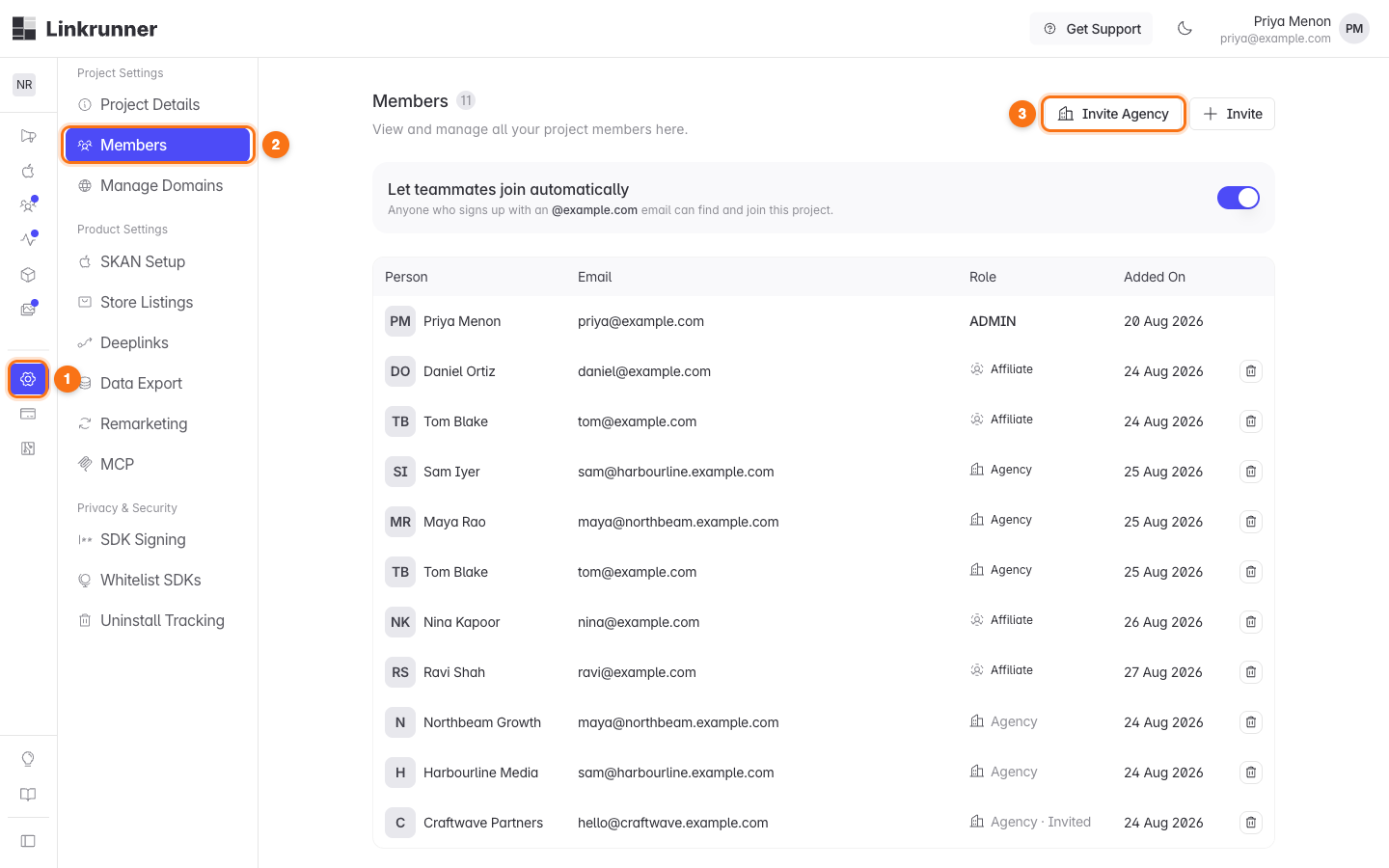
1. Open the Members page
Open Settings (1), go to Members (2), then click Invite Agency (3).
2. Pick an agency, or invite a new one
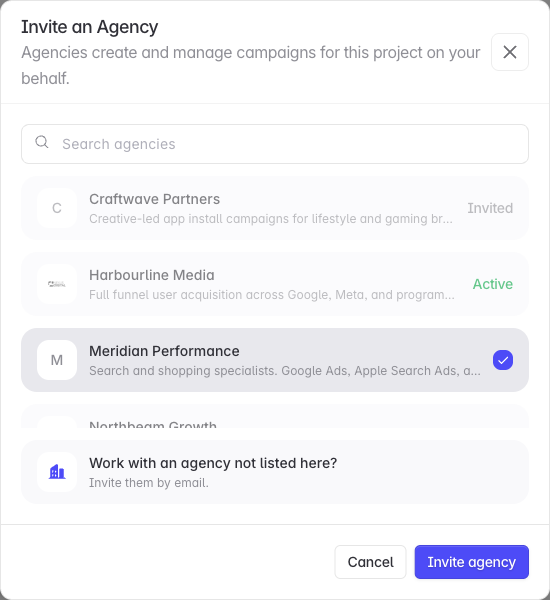
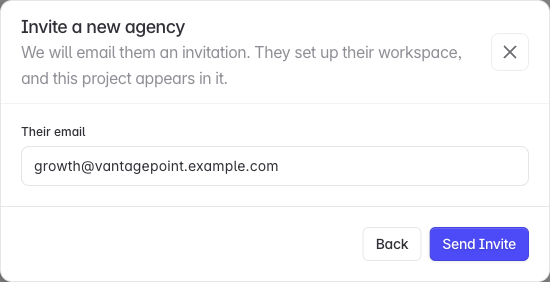
The list holds every agency already set up on Linkrunner. Search by name, description, or website, tick one or more, then click Invite agency.
An agency you have already engaged shows Invited or Active instead of a checkbox, so it cannot be invited twice.
3. Track the engagement
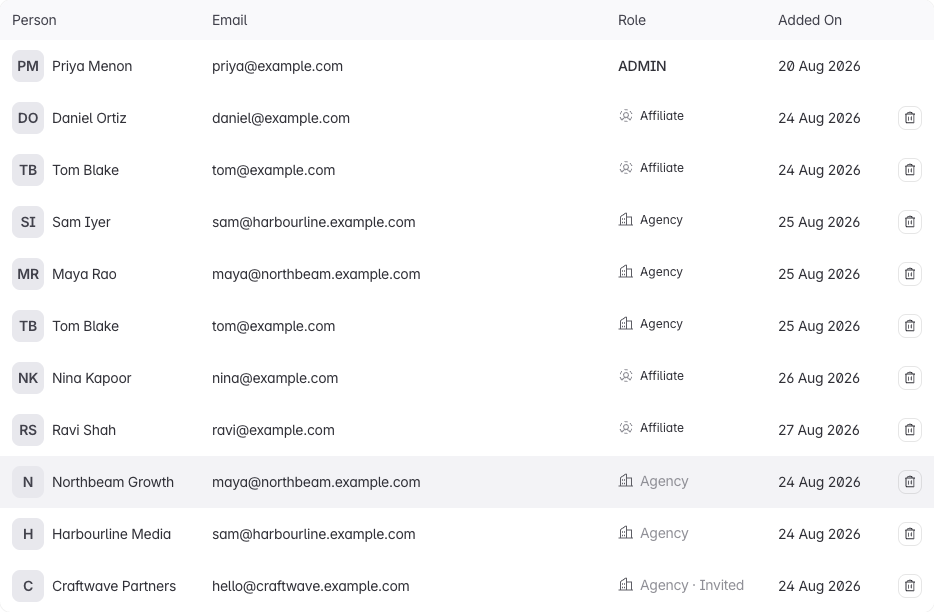
Agencies appear in the members table underneath your people, marked Agency.
| Label | Meaning |
|---|---|
| Agency · Invited | Nobody at the agency has accepted yet, or their workspace is still being reviewed by Linkrunner. |
| Agency | Active. They have access to this project. |
| Agency · Suspended | Linkrunner has suspended the workspace. Their access is paused, and your engagement is kept. |
An agency invited by email needs to complete its workspace setup and pass Linkrunner's review before it becomes active. A new agency will not have access on the day you invite it.
End an engagement
Click the remove icon on the agency's row, then End Engagement.
Everyone at that agency loses access to this project immediately. The campaigns they created stay with your project, along with all of their historical data. The agency's other customers are unaffected.
Troubleshooting
The Invite Agency button is missing. You need to be an admin on the project.
"The agency list could not be loaded for this project". You are viewing the project as a partner rather than as an admin. Agencies are managed by a project admin.
The invitation was refused as a duplicate. That address already belongs to an agency, or already has a pending invitation for this project. The error message names the company involved.
The agency says they cannot see your campaigns. They only see campaigns their own agency created. Campaigns you or another partner created are never in their workspace, by design.
Need help? Contact support@linkrunner.io