

Appearance
Postback Logs
Check whether each conversion reached your endpoint, and what your endpoint answered
Postback Logs lists every conversion Linkrunner sent to your endpoint, with the result. Use it when you need to know whether a postback landed, or why it did not.
Open it from the left sidebar in the affiliate dashboard, or go straight to it: dashboard.linkrunner.io/affiliate/postback-logs.
The log shows one customer at a time. Switch customers with the project picker at the top of the sidebar.
The screenshots on this page use sample data. The endpoint, click IDs, and campaign names are examples.
Reading the log
Each row is one conversion. Retries for the same conversion are grouped into that one row.
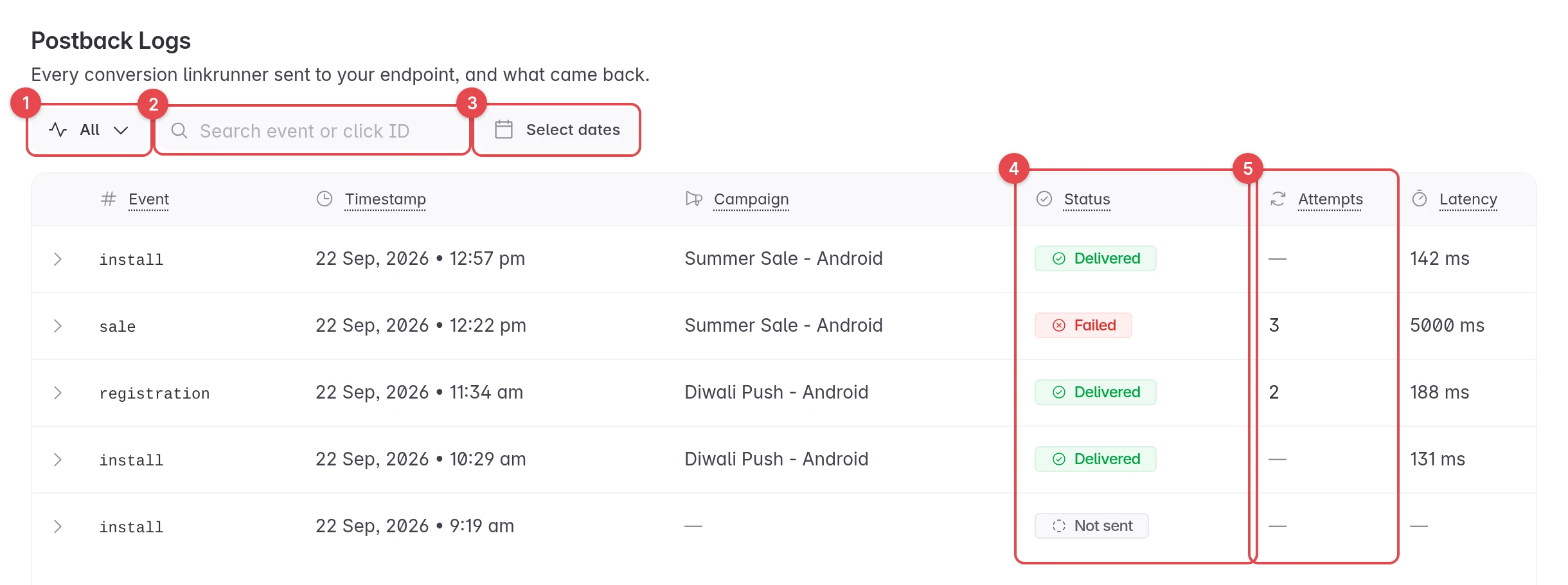
- Status filter. Show only postbacks with one status. Defaults to All.
- Search. Find a conversion by event name or by your click ID.
- Date range. Limit the log to specific days.
- Status. Where the conversion ended up. See Statuses.
- Attempts. How many times Linkrunner called your endpoint. A dash means it landed on the first try.
The other columns:
| Column | What it shows |
|---|---|
| Event | The conversion, under the name you receive it as (for example install, or your mapped name). |
| Timestamp | When Linkrunner first called your endpoint about this conversion. |
| Campaign | The campaign the conversion was attributed to. |
| Latency | How long your endpoint took to answer the last attempt. |
Click Clear filters to go back to the full log.
Statuses
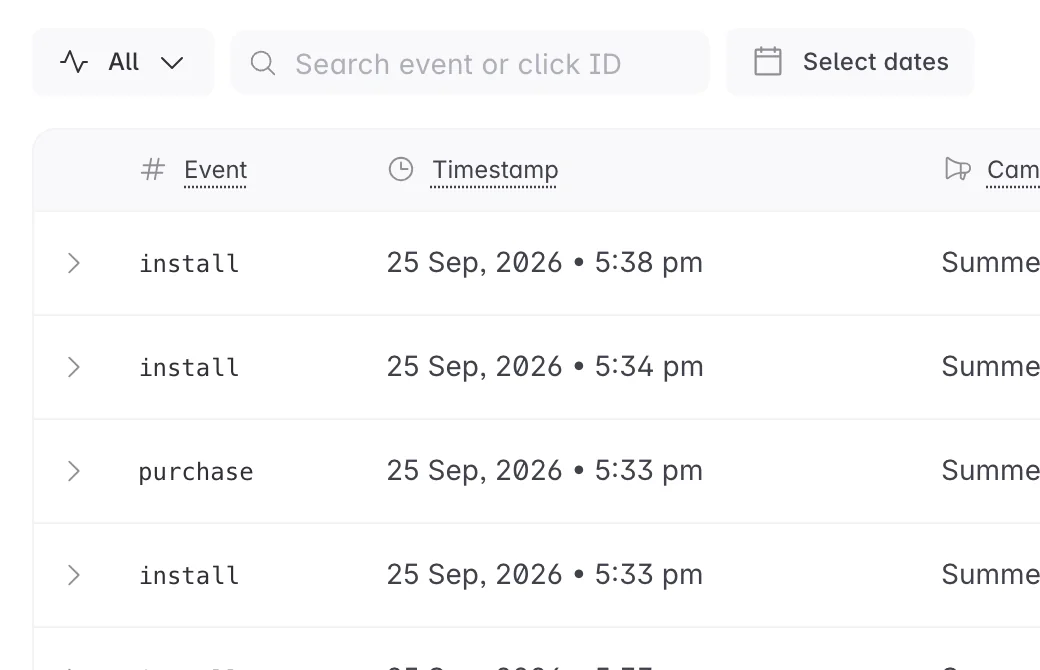
| Status | What it means |
|---|---|
| Delivered | Your endpoint answered with a success (2xx) response. |
| Retrying | Your endpoint has not accepted it yet. Linkrunner will try again. |
| Failed | Every attempt failed, or your endpoint gave an answer that is not worth retrying. |
| Not sent | Linkrunner never called your endpoint for this conversion. |
| Rejected (fraud) | The customer's Fraud Control rejected the conversion. Linkrunner called your rejection postback URL once, with the reasons. Do not pay out on it. |
| Withheld (fraud) | The customer's Fraud Control rejected the conversion, and Linkrunner did not call your endpoint, because you have no rejection postback URL for it. |
Pick Failed to see only the postbacks that need your attention.
See the details of a postback
Click a row to expand it.
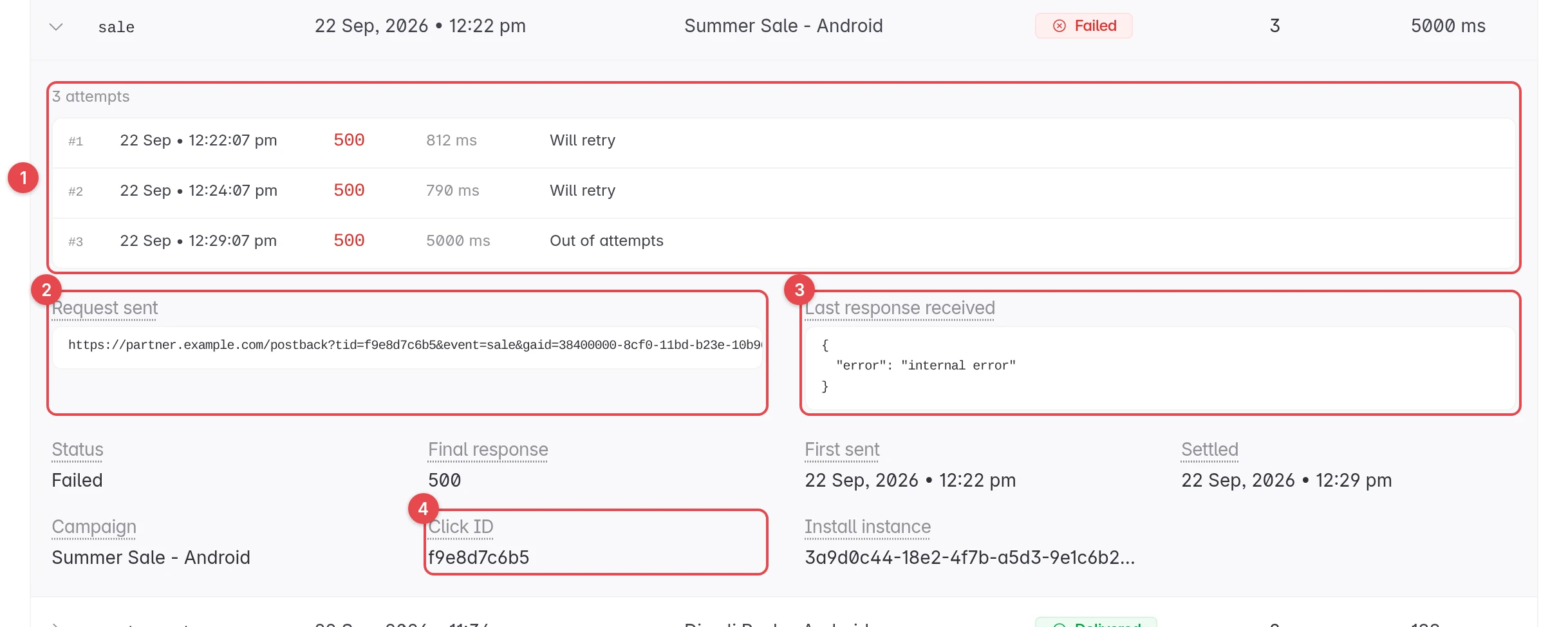
- Attempts. Every call Linkrunner made, with the time, the response code, how long it took, and whether it would retry.
- Request sent. The exact URL Linkrunner called, with your macros filled in. Secret values are removed.
- Last response received. What your endpoint answered on the last attempt, exactly as it came back.
- Click ID. The
tidyou sent on the click. Use it to find the conversion in your own system.
The expanded row also shows the final response code, the time of the first and last attempt, the campaign, and the Install instance ID. Share the install instance ID with Linkrunner support when you ask about a specific conversion.
Conversions rejected by Fraud Control
A customer can run Fraud Control rules on the conversions attributed to you. A conversion one of those rules rejects shows as Rejected (fraud) or Withheld (fraud). To list only those conversions, pick either status in the status filter.
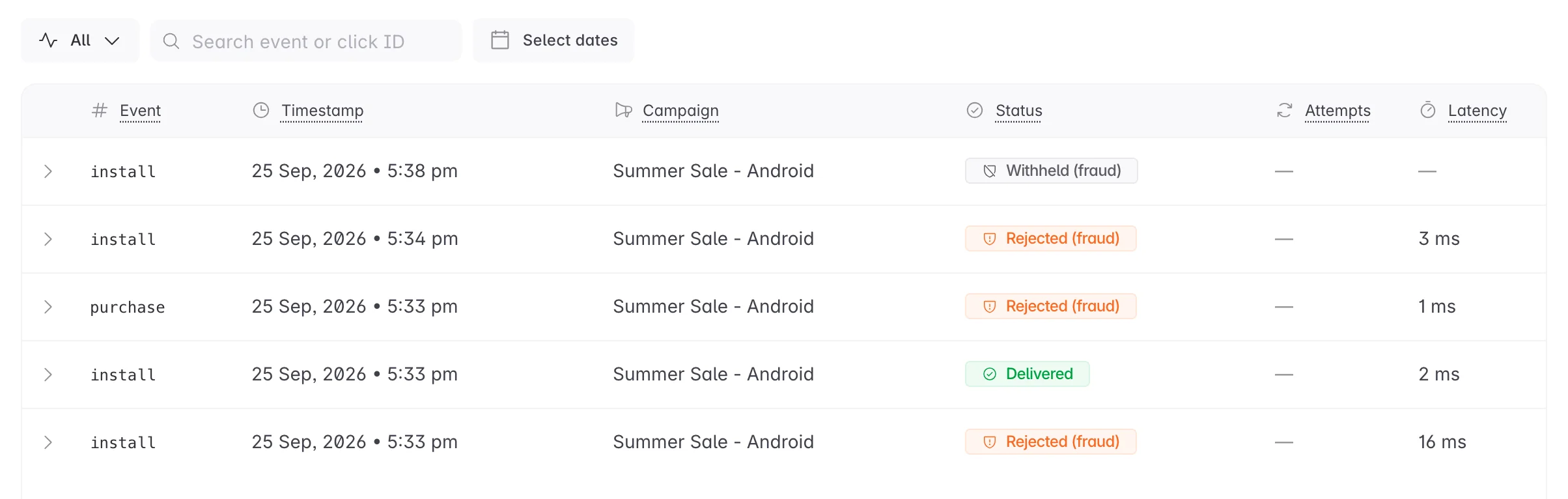
Click a Rejected (fraud) row to see the notice Linkrunner sent.
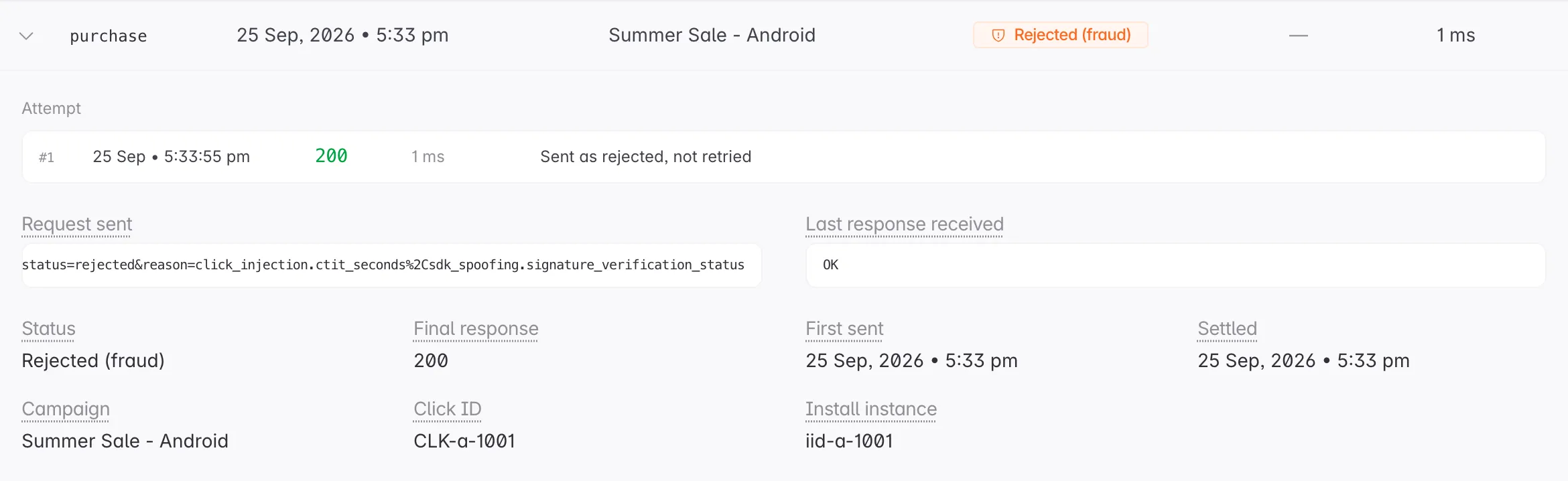
- Attempt. There is only one. Linkrunner never retries a rejected conversion, whatever your endpoint answers.
- Request sent. Your rejection postback URL, with the reason codes filled in. Scroll the box to read the whole URL. See Reason codes for what the codes mean.
A Withheld (fraud) row has no request. Linkrunner did not call your endpoint, because you have not added a rejection postback URL for that kind of conversion. Add one under Settings → Postback URLs → Rejection postbacks to receive them. See Rejected conversions.
Troubleshooting
A postback shows Failed
Expand the row and read Last response received. A 5xx means your server had an error. A 4xx usually means the URL or a parameter was rejected. Fix it on your side. If your endpoint only accepts listed IPs, check you have allowlisted Linkrunner's postback IPs.
A postback shows Not sent
Linkrunner did not build a postback for this conversion, so nothing reached your endpoint. For an in-app event, check that it has a mapping on Event Mapping. If the event is mapped, contact support with the install instance ID.
A postback shows Rejected (fraud) or Withheld (fraud)
A fraud rule on the customer's side matched the conversion. Linkrunner kept the attribution but will not confirm the conversion. Expand the row to see the attempt. For a rejected conversion, Request sent shows the reason codes. See Rejected conversions. To dispute a rejection, contact the customer.
An event I expect is not in the log at all
In-app events appear only after they are mapped. Add the mapping on Event Mapping, or ask the customer to add it.
The Click ID is empty
The click did not carry a tid. Check that your platform sends a unique click ID on every click. See Tracking links.
The log says no postbacks match
Clear the filters and widen the date range. If it is still empty, no conversion has been attributed to you for this customer yet.
Need help? Contact support@linkrunner.io