

Appearance
Run remarketing campaigns
Bring past users back to your app with Meta and Google ads, and see which campaign brought each one back.
Remarketing shows your ads to people who have used your app before, so they come back to it. Linkrunner measures when these existing users return to your app through your campaigns and gives the credit to the campaign that brought them back. This is called reattribution: attributing a returning user back to the campaign that brought them back.
How it works in 4 steps
Set up your app for reattribution
Make sure your app is configured for reattribution tracking: deep linking, the handleDeepLink function, Android backup configuration, and ATT consent on iOS. See Set up your app for reattribution.
Build an audience
Create an audience segment on Meta or Google, either from a customer list or from tracked events already being sent to the ad platform. See Build a remarketing audience.
See which campaign brought users back
Linkrunner detects returning users through reactivation events and assigns the credit to the right campaign. See How reattribution works.
How reattribution works
When a user who has already installed your app returns after a period of inactivity, Linkrunner checks whether that return can be attributed to a marketing campaign, meaning whether a campaign should get the credit for it. This is reattribution.
For a user to be reattributed, two conditions must be met:
- The user must have been inactive for at least the configured inactivity window (default: 0 days).
- The reinstall must occur within the reattribution eligibility window: the maximum time between an uninstall and a reinstall for the return to count as a reattribution (default: 90 days).
If both conditions are met, the user's return is attributed to the campaign linked to the ad interaction, and a reengagement record is created.
Understanding the windows
| Window | What it means | Default |
|---|---|---|
| Inactivity window | The minimum number of days a user must be inactive before they can qualify for reattribution. Linkrunner measures inactivity from the last app open: the time since the user last opened the app is compared against the configured inactivity window. | 0 days |
| Reattribution window (also called the reattribution eligibility window) | The maximum time between an uninstall and a reinstall for the reinstall to count as a reattribution. | 90 days |
Example: With a 7-day inactivity window, a user whose last app open was 3 days ago would not qualify for reattribution. A user whose last app open was 10 days ago would qualify.
Reattribution triggers
A reactivation event is the action a user completes to come back to the app. Reactivation events trigger reattribution and signal a user's return.
Linkrunner supports two reactivation events:
- App install (reinstall): the user reinstalls the app after previously uninstalling it. Linkrunner detects reinstalls using device identifiers, the advertising ID each phone has (GAID on Android, IDFA on iOS).
- Deep link open: the user clicks a deep link and is taken into the app. For reattribution to work, deep linking must be configured in your app and the
handleDeepLinkfunction from the Linkrunner SDK must be called when the app opens via a deep link. See the deep linking setup guide for configuration details.
Push notification campaigns
Remarketing campaigns also include push notification campaigns run through engagement platforms like MoEngage and WebEngage. These campaigns are tracked as remarketing campaigns within Linkrunner.
The flow is similar to a user opening the app via a Linkrunner link: you create a campaign on Linkrunner and use the generated link in a push notification campaign on the engagement platform. When a user opens the app through the push notification link, Linkrunner attributes the return to that campaign.
Set up your app for reattribution
Your app needs the following before Linkrunner can track returning users:
- Deep linking must be set up in your app.
- The
handleDeepLinkfunction from the Linkrunner SDK must be implemented. Refer to your SDK guide (React Native, Flutter, Android, iOS, Unity) for details. - Android backup configuration must be set up for reinstall detection on Android. Refer to your SDK guide (React Native, Flutter, Android) for details.
On iOS, the user must grant ATT (App Tracking Transparency, Apple's prompt that asks users for permission to track them) for reattribution to work. Without ATT consent, Linkrunner cannot access the IDFA needed to identify returning users.
Run the campaign on Meta
Before you start
- You have created a Custom Audience in Meta Ads Manager.
Steps
Open Ads Manager and click Create.
Select the right campaign objective.
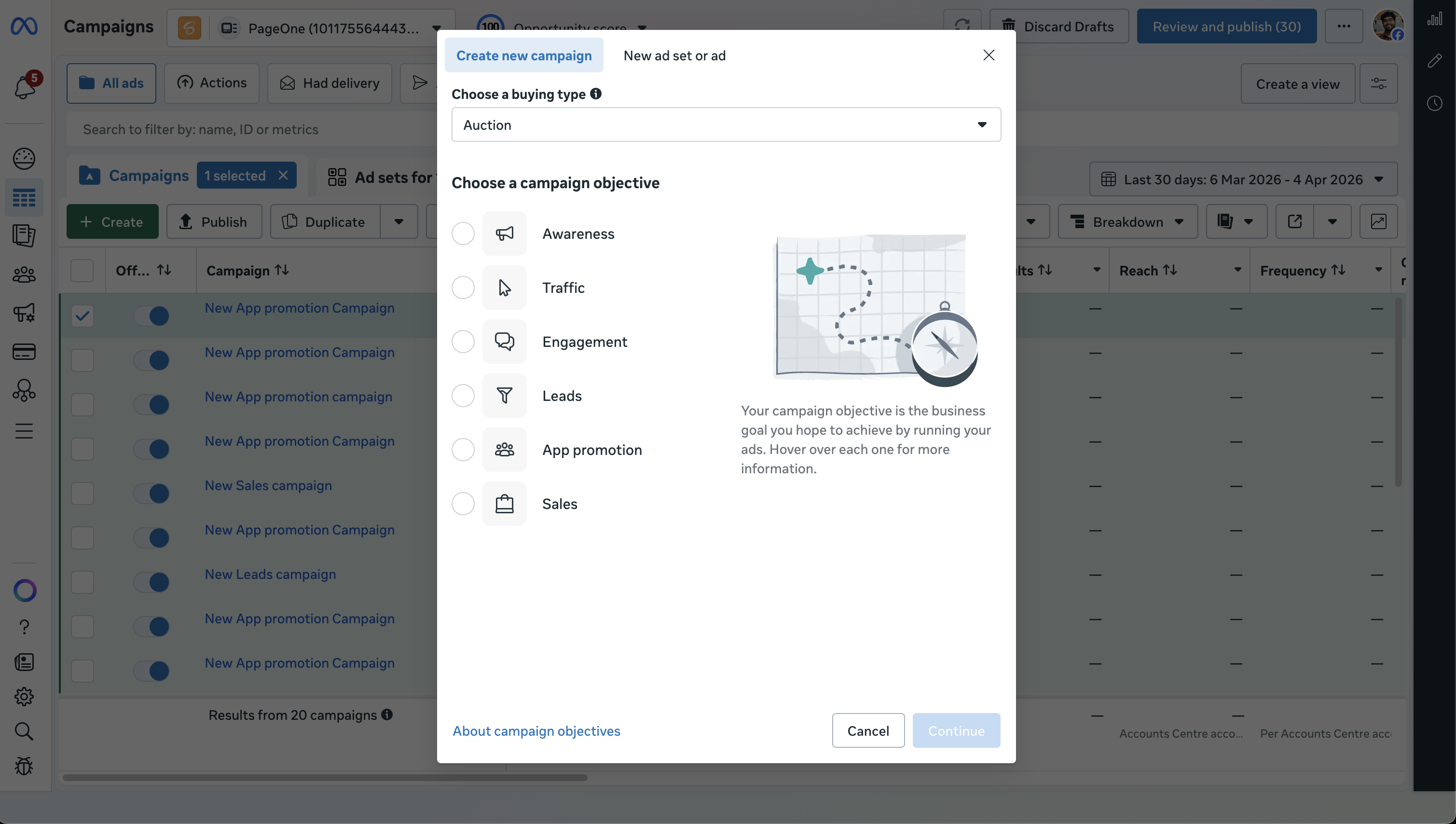
Set the campaign name.
At the ad set level, scroll to the Audience section.
Under Include these custom audiences, search for and add the custom audiences you created in Audience Manager.
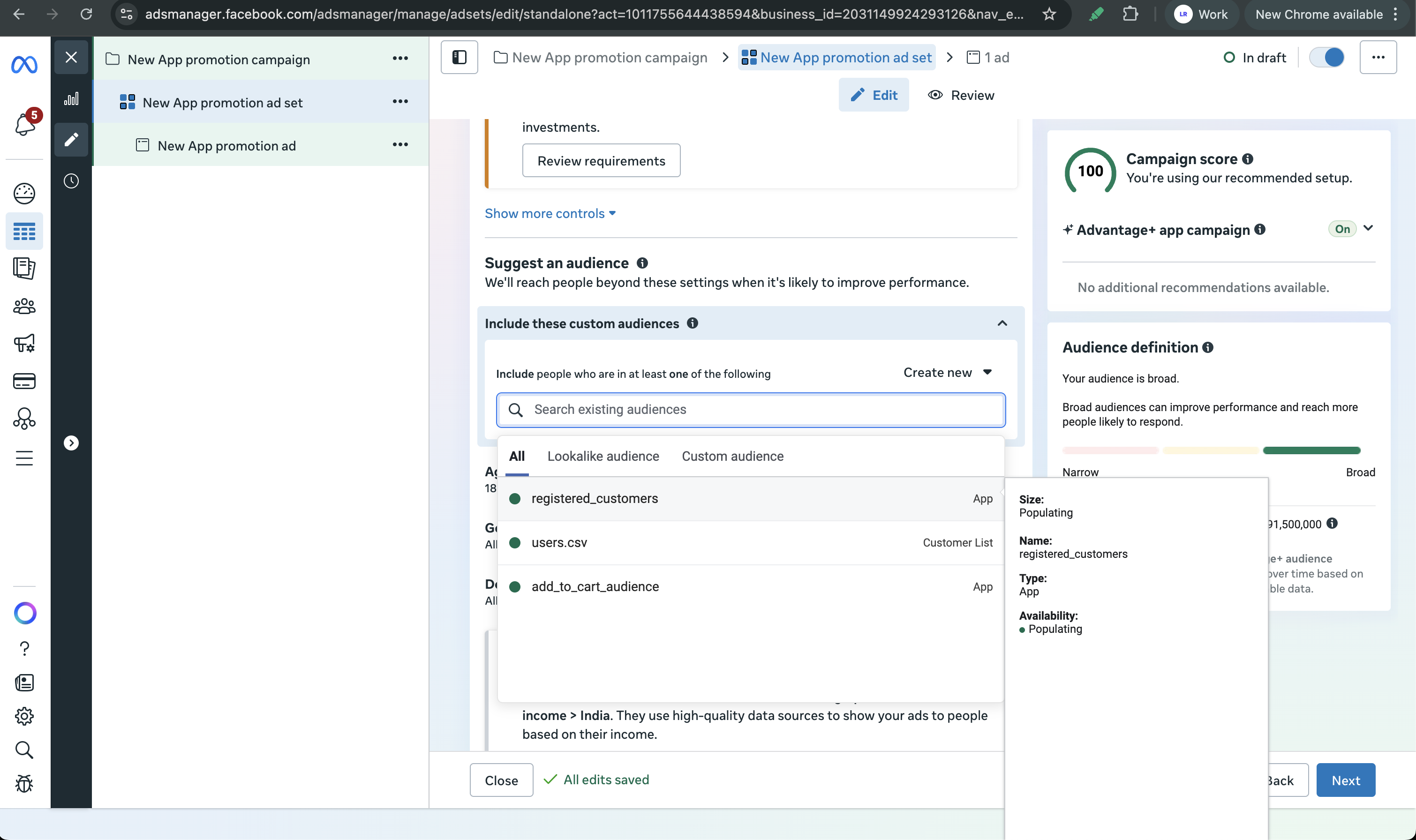
Configure the rest of your ad set (placements, budget, schedule) and add your creatives.
Review and publish the campaign.
Run the campaign on Google
Before you start
- You have created an audience segment in Google Ads Audience Manager.
Steps
In Google Ads, click New campaign.
Pick a campaign goal and subtype.
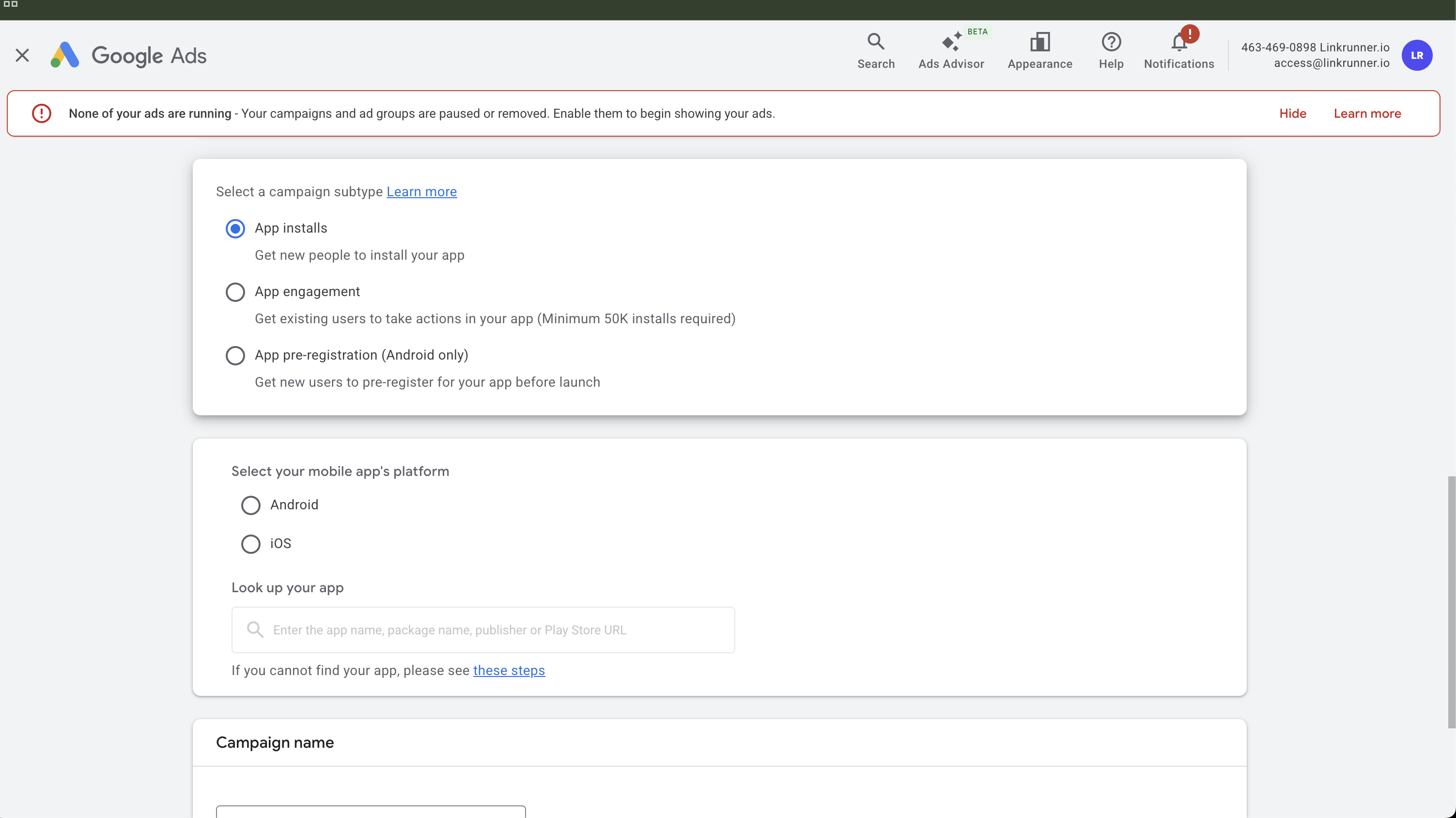
The App engagement subtype is only available for apps with 50,000+ installs.
Select your app platform and choose the app.
Set budget, bidding, locations, and campaign dates.
At the ad group level, scroll to the Audience signal section.
Click Add an audience signal and select your saved audience list or audience segment.
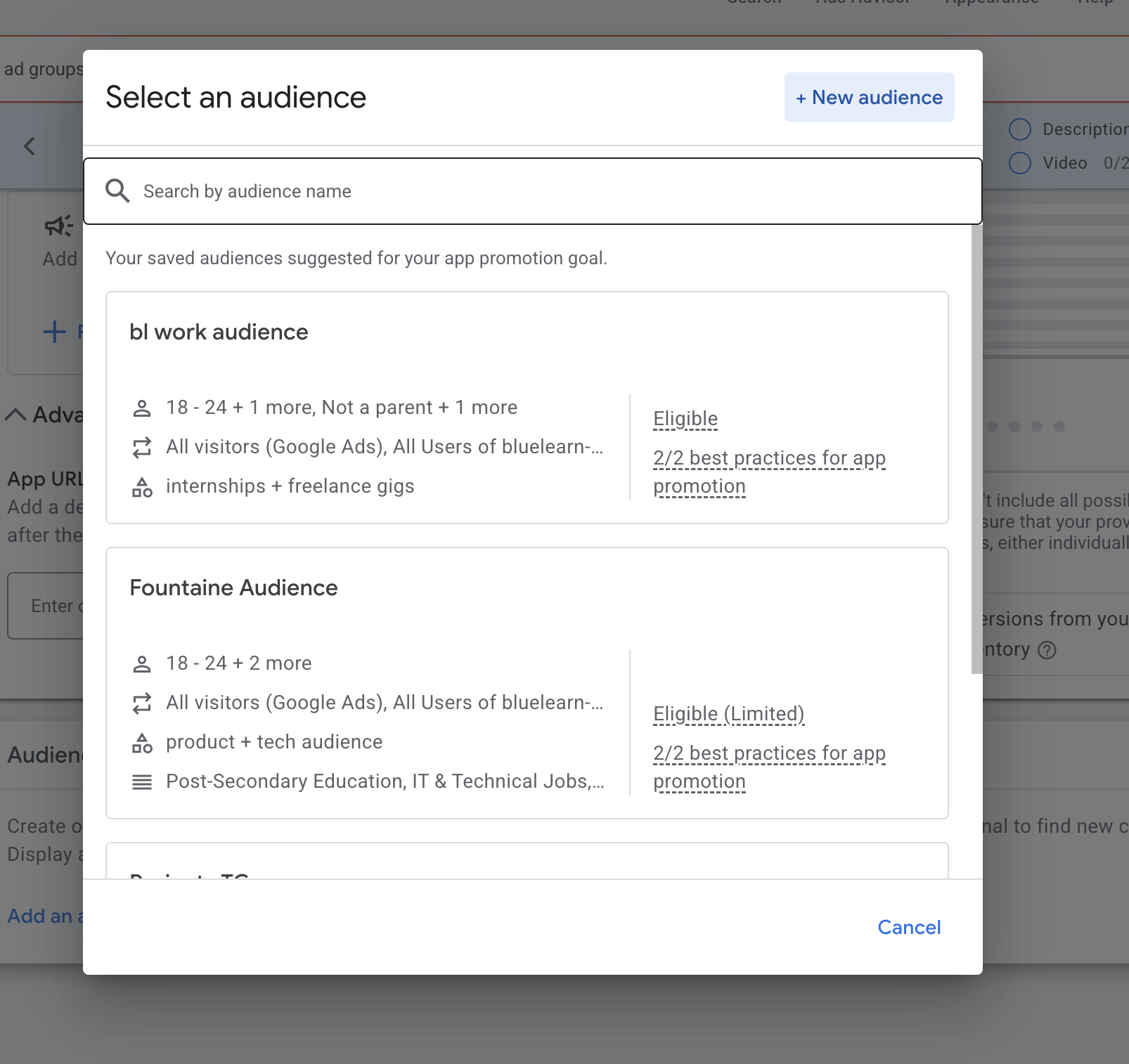
Add creatives and assets.
Review campaign settings and launch.